To download and setup 4RentersSU
1) After you click the button
to get the download,
you want to run the file
that was downloaded.
The downloaded file should appear
in the bottom left corner of your screen.
You will just need to click on it to start the setup process.
If you get the Window's warning,
you will have to permit our software to run.
"Unrecognized" is NOT the same as bad or harmful.
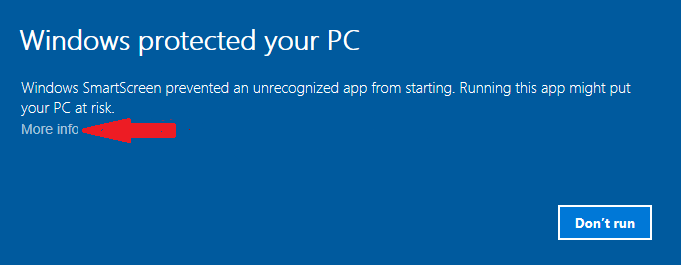
So just click on the phrase "More info".
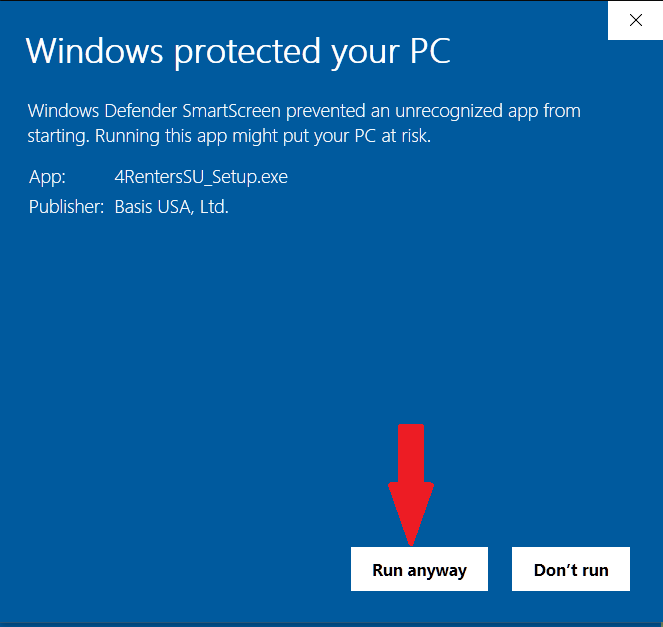
This will reveal the button "Run anyway".
For your convenience we have flagged "More info" and
"Run anyway" in the images below with large red arrows.
Here is what you will see before clicking on "More info":
Here is what you will see if you click on"More info":
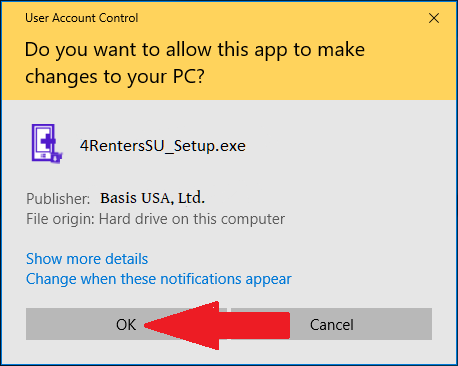
3) Next you will need to give a final OK to let the program make changes to your system
as seen below:
4) The install procedure guides you through the rest. Then you'll be ready to use 4Renters.
Enjoy.
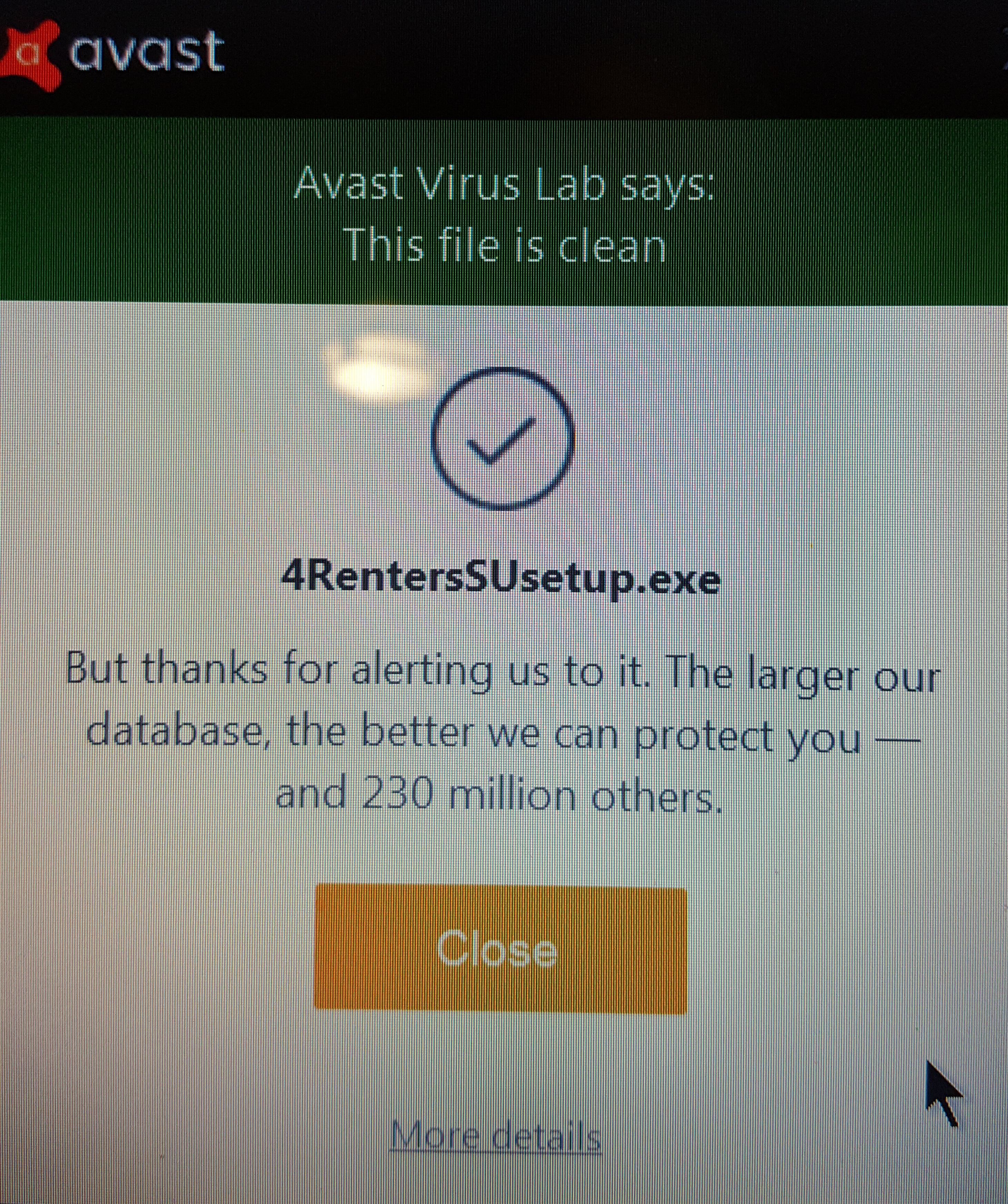
Here is one example of an antivirus approving our file.